
Innovation at Our Core
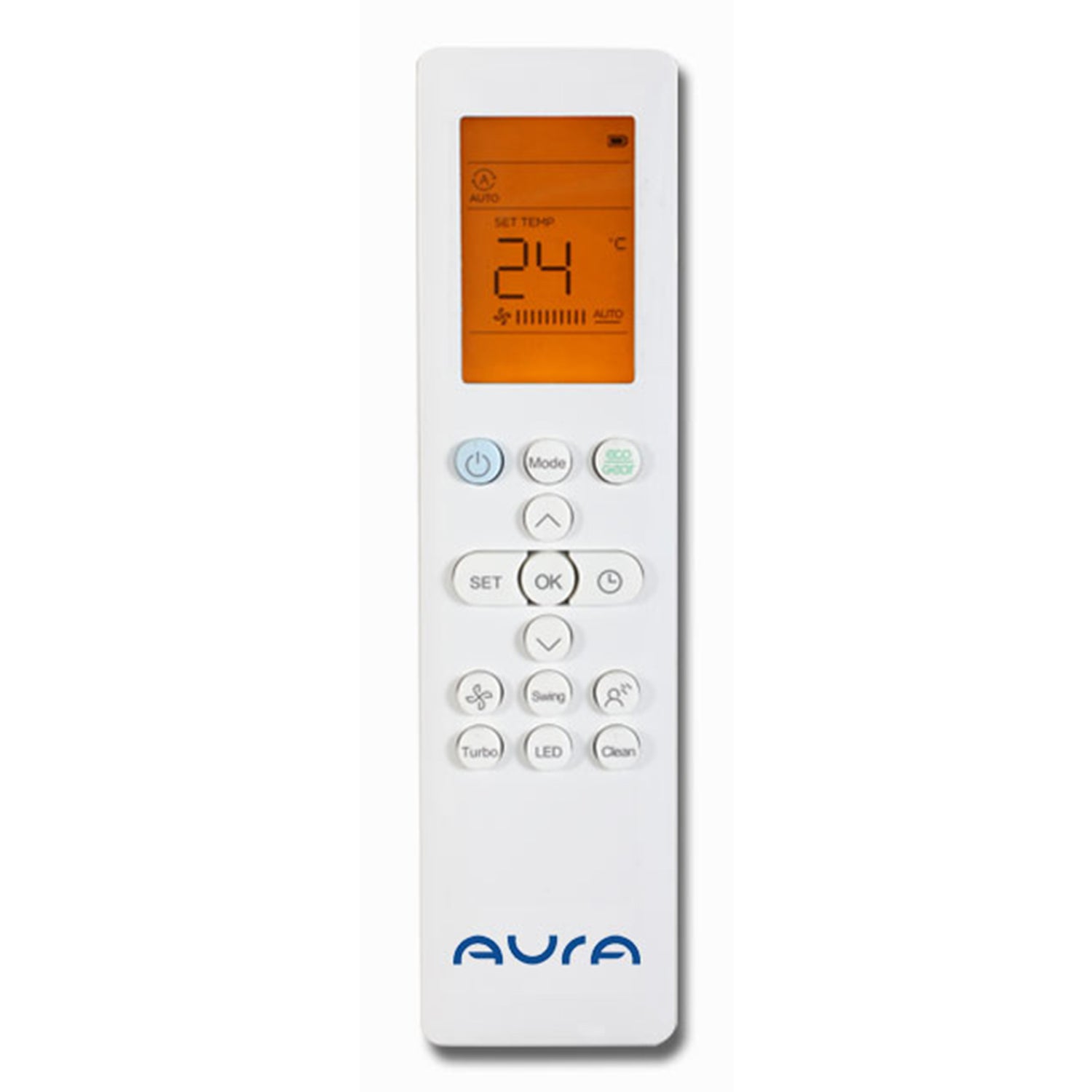
Remote Control Functions
- ON / OFF Button: Turns the air conditioner on or off.
- TEMP Δ Button: Press this button to increase the temperature by 1°C, up to 28°C.
- TEMP ∇ Button: Press this button to decrease the temperature by 1°C, down to 20°C.
- FAN Button: Adjusts fan speed: Auto – Low – Medium – High.
Note: Pressing this button for 2 seconds activates Silent Mode. - SWING Button (Air Direction): Press to turn horizontal louvers on or off.
Note: Press for 2 seconds to activate vertical louvers, moving left and right. - BREEZE AWAY Button: Prevents direct airflow from blowing on the body.
Note: This feature is available only in Cool, Fan, and Dry modes. - TURBO Button: Quickly reaches the set temperature in the shortest time possible.
- LED Button: Press to turn off or on the display screen.
- SELF CLEAN Button: Turns the self-cleaning function on or off.
- SET Button: Scrolls through operational functions.
- TIMER Button: Sets automatic start/stop of the unit.
- ECO GEAR Button: Reduces electricity consumption.
Note: Works only when the set temperature is below 24°C and in Cooling mode (Inverter only). - OK Button: Confirms selected functions.
- MODE Button: Switches operation modes:
Auto → Cool → Dry → Heat → Fan
Note: Heat mode is available only in models that support both cooling and heating.
Trust
Innovation
Quality
Comfort
Reliability
Performance
Efficiency
Technology
Durability